
en
Creating your first self-custody wallet takes less than 60 seconds with KriptoK. Here's the complete process. Learn the key concepts, practical steps and.
Download KriptoK from the App Store (iOS) or Google Play (Android). Open the app.
On the welcome screen, you'll see two options:
Tap Create a new wallet.
Create a 6-digit PIN code. This secures your app on this device.
Important: This PIN only protects the app on your phone, not your seed phrase. You'll see your seed phrase in the next steps.
Re-enter your PIN to confirm.
KriptoK will offer Face ID or Touch ID for quick access. This is optional but recommended for convenience.
You can choose to:
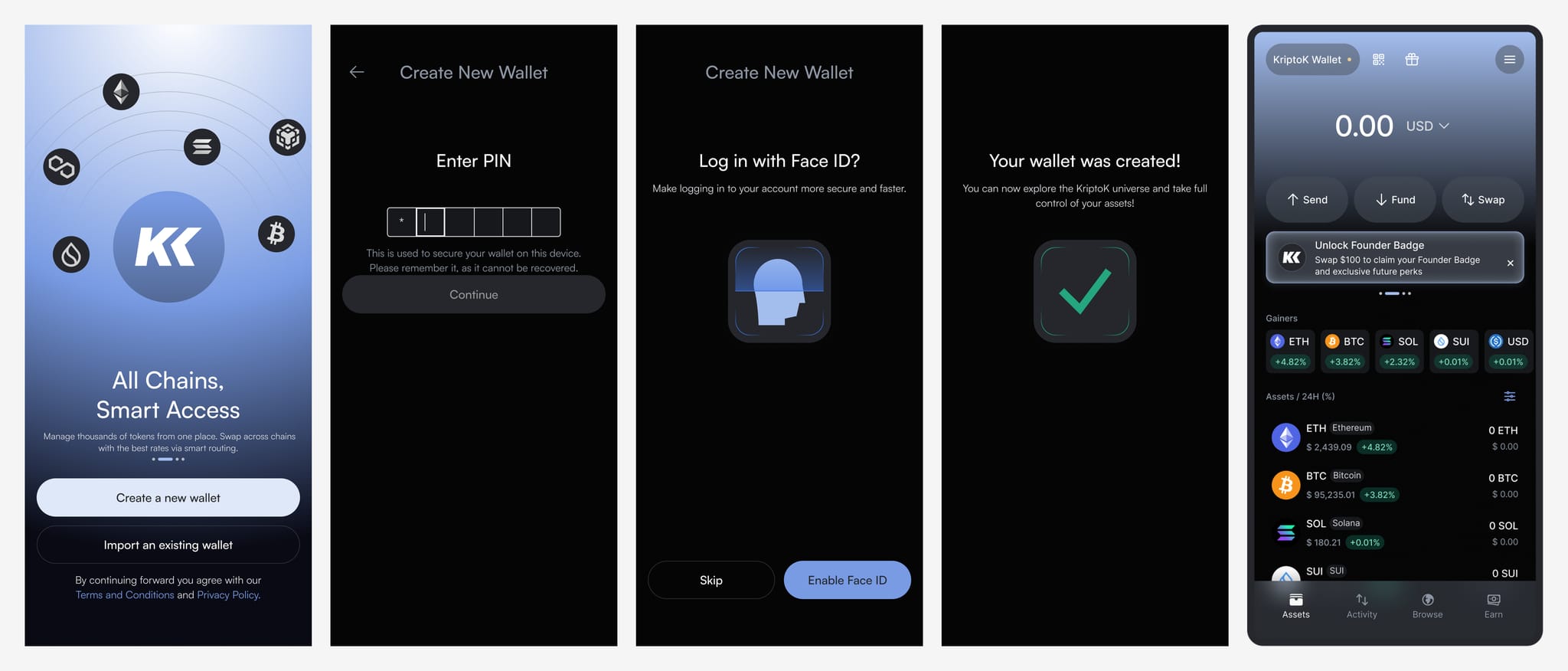
KriptoK generates your wallet. This takes a few seconds.
Once created, you'll land on your wallet home screen. You'll see a reminder at the top: "Secure your wallet - Save your seed phrase securely away"
This is the most important next step. Don't skip it.
Tap the security reminder to begin backing up your wallet. KriptoK will show you your 12-word seed phrase.
Before showing your seed phrase, you'll see these warnings:
Once you tap to reveal your seed phrase, write down all 12 words in order. Store them securely.
Good storage options:
Never save it digitally. No screenshots, no notes apps, no cloud storage.
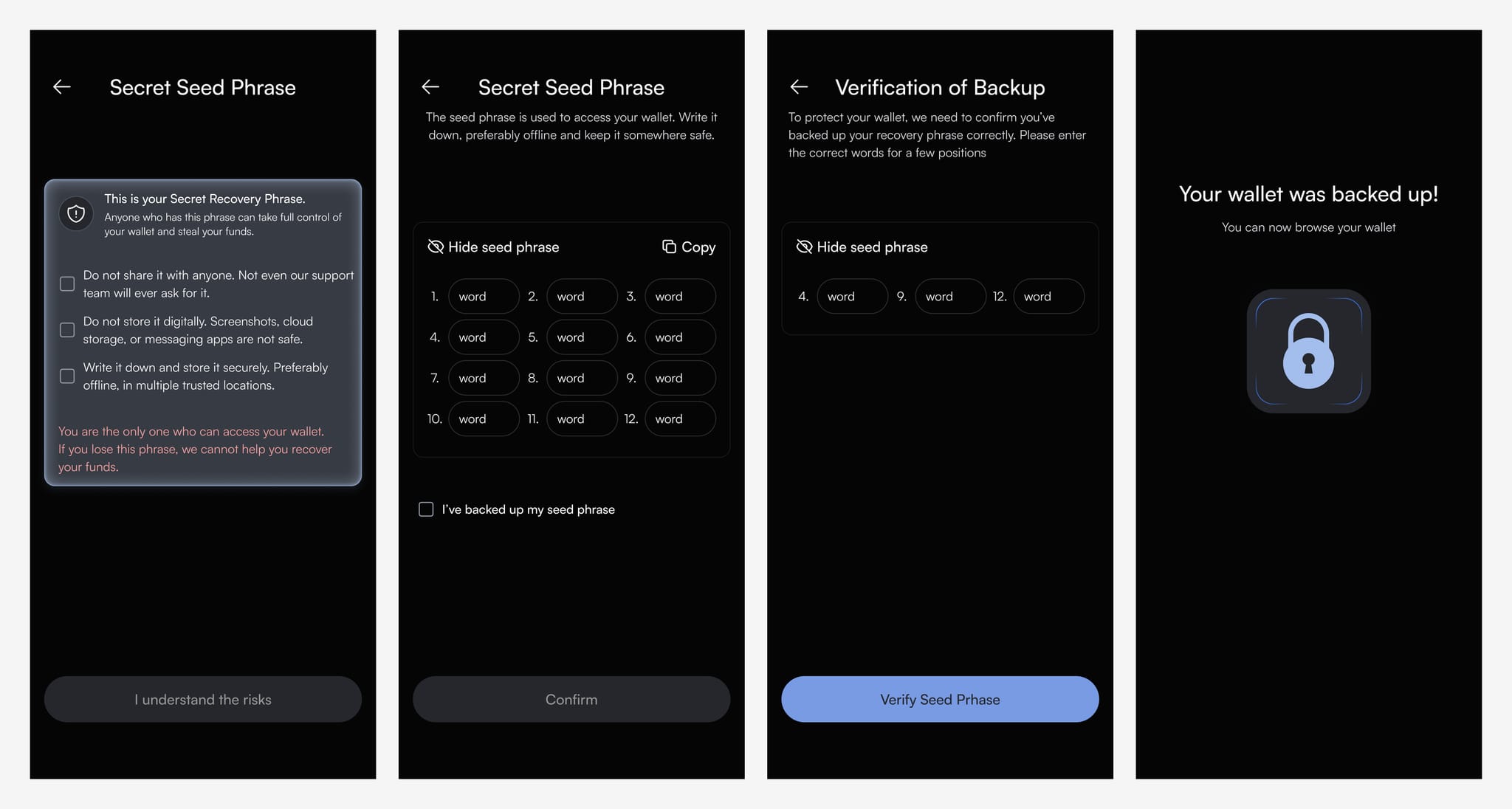
To make sure you've stored your seed phrase correctly, KriptoK will ask you to select a few words from your backup.
Once confirmed, your wallet is fully secured. You can now receive and send crypto across all supported chains.
Your wallet now works across 8+ blockchains:
Each chain has its own address, but they're all controlled by the same seed phrase.
Q: What if I lose my seed phrase?
A: Without your seed phrase, there's no way to recover your wallet. This is a core principle of self-custody: complete control means complete responsibility. Store it somewhere safe.
Q: Can I change my seed phrase later?
A: No. To get a new seed phrase, you'd need to create a new wallet and transfer your assets.
Q: What's the difference between PIN and seed phrase?
A: Your PIN protects the app on your device. Your seed phrase controls your crypto across all devices and blockchains.